<p>deb922:</p>
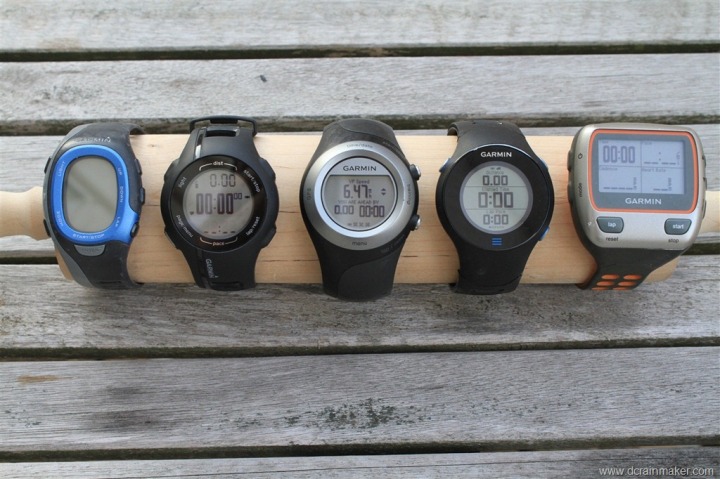
<p>Choosing a Garmin (or any fitness watch) should probably start with what data you think you might like to collect. The sky is pretty much the limit:</p>
<p>a) Heart rate. Probably the single most useful piece of information. Seeing how your heart rate responds to exercise is so instructive and is probably the best way to gauge and adjust intensity. The equipment is a strap that you wear around your chest and a watch to receive/record the data. You can set the watches to help you keep your heart rate in a “zone”, beep if it falls too low or if it rises higher than the limits you set.</p>
<p>b) GPS track. If you run, or walk, or hike, or bike, outdoors this is the best way to log where you have been, how far you went, how long it took, and what the elevation changes were. In most cases, it’s accurate within about 20 feet or so. The GPS track and heart rate data gets uploaded to the computer, where you can view the route in Google or Bing maps and see graphs of your heart rate, time, distance, etc.</p>
<p>c) Additional sensors. The Garmin watches (at least some of them) have the ability to receive more data in addition to heart rate. For example, if you do indoor treadmill running/walking, you can buy a foot sensor that records your distance based on footsteps. There’s also a bike package (from Garmin or 3rd parties) that includes two sensors for your bike. One measures pedal rotations. The other measures wheel rotation, which will also give you distance if you tell the computer the right size of your wheel/tire. I have this on my exercise bike, so I can record how fast I’m pedaling, how far I’ve pedaled, time, and heart rate. If you have it on an outdoor bike, you’d have this data synched to the GPS track. There’s also a new temperature sensor, although I’m not sure of the watches link to this. The hiking GPS units display temp.</p>
<p>d) Intervals. One of the really impressive features is the ability to set up advanced intervals. For example, say that you like to do alternating walking and jogging. You can press a button when you start jogging and have the watch beep to end the jogging interval – after a predetermined amount of time, after a certain distance, OR after your heart rate has climbed to a predetermined point. You can also have your walking (or rest intervals) set up to end on any of those parameters. So, for today’s workout, I programmed a set to be Exercise for 30 seconds, Rest for 30 seconds, alternating for five exercises in five minutes. Then, rest until my heart rate falls to 60% of my max. Then repeat all of that for four rounds. The watch beeped for every change and displayed what I was supposed to be doing. All I had to do was hit START WORKOUT. This was all programmed on the computer (using cut and paste) and uploaded to the watch, which stores all of the workouts I have set up. Or, if you just want to go informal, hit LAP when you start running and LAP again when start walking each time and the watch will record the lap markers on the GPS/heart rate track.</p>
 While many of her clients are “elite”, she does a fine job with folks transitioning to an active lifestyle too.</p>
![http://www.dcrainmaker.com/images/2011/04/garmin-forerunner-610-in-depth-review-29-thumb.jpg]photo[/url](http://www.dcrainmaker.com/images/2011/04/garmin-forerunner-610-in-depth-review-29-thumb.jpg%5Dphoto%5B/url)