I’m on “latest” on my phone and my screen looks like what Sorin posted above.

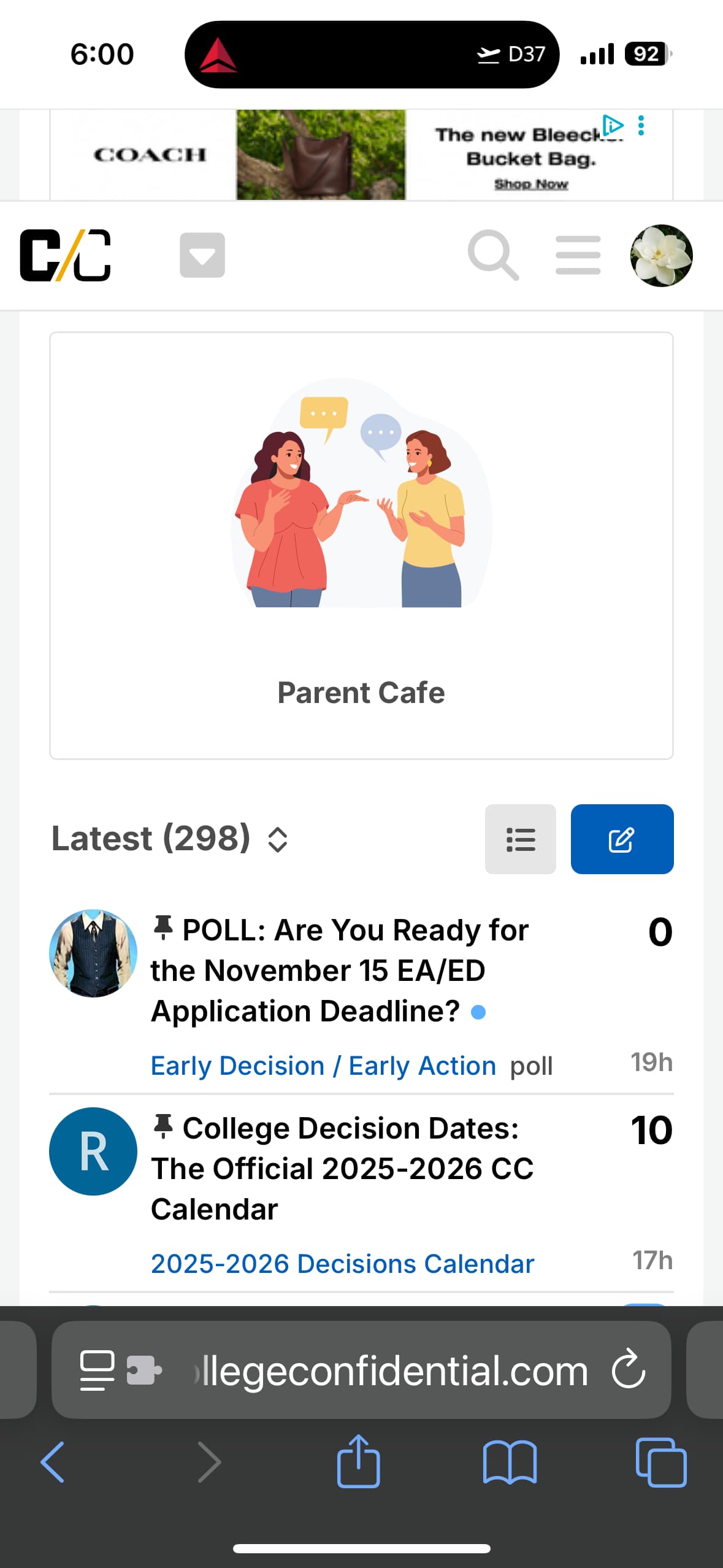

I never use the “Latest” view (I default to “Notifications”), but this is what Latest looks like on my iPhone:
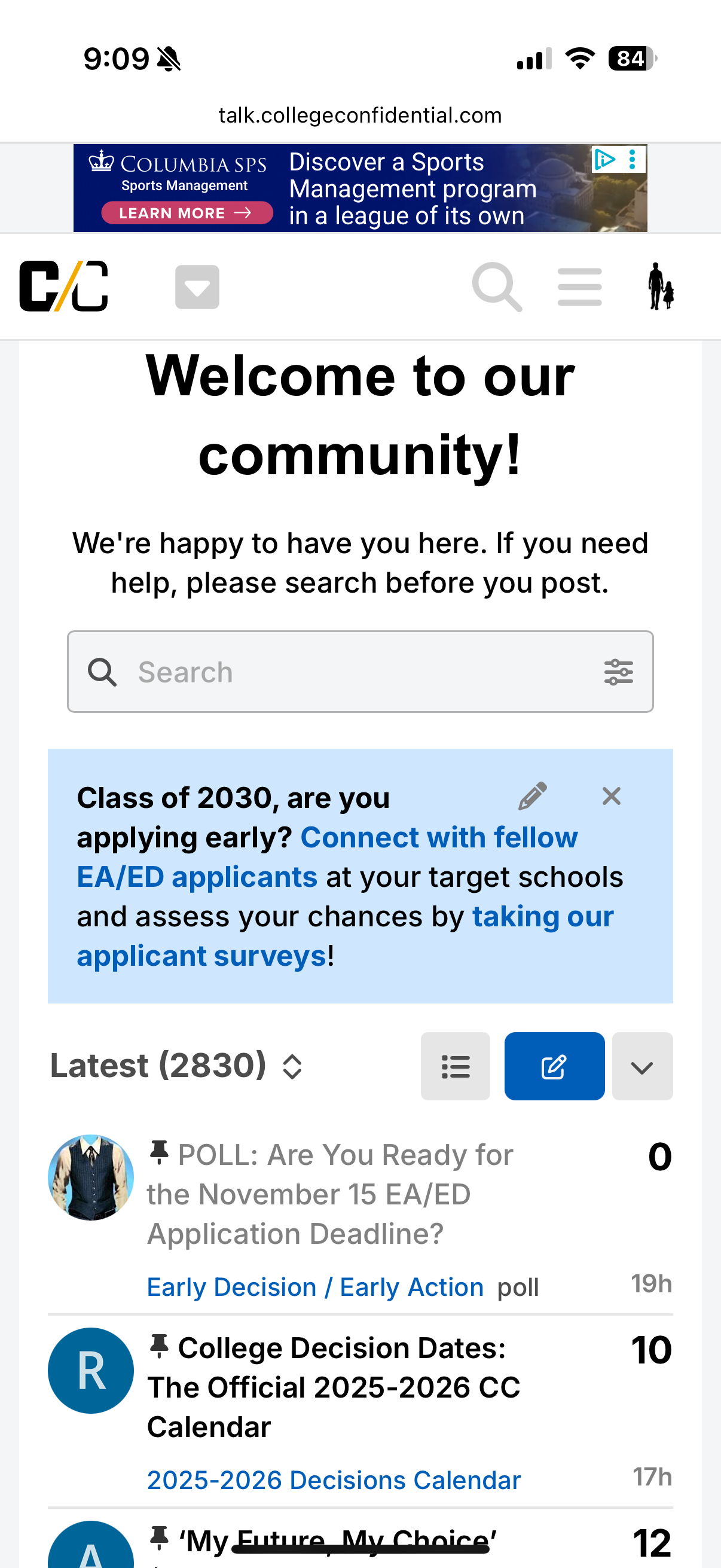
Yes, that’s the look I get if I manually switch to “Latest.” Based on the screenshot sent by @DramaMama2021, for those whose default view is “Latest,” the boxes appear at the top.
Maybe this is something we can fix? So basically make the below what you see on mobile if you select “Latest” as your default view?
1 Like
Why is it important to make us see the “Welcome to our community” every time we visit with the Latest view?
Edited to add: my default view is Latest and this is what I see on my phone:
Default theme:

Theme “without components” (preferred by me):

UPDATE: We have made some changes for mobile so that the 4 boxes only show when you are on the default “Categories” view or when you manually select it. If you select another default view option (e.g. “Latest,” “New,” etc.) those boxes will not appear.
That said, we also sunsetted the “old” theme (which was unsupported anyway). Now everyone is on the same theme, but can select the view that best works for them.
2 Likes
Any chance “Find Your People” could be changed?
I’m still not a fan of the big welcome header on the Latest / Unread / New views. If a user has one of these views set as their default, there is a very high probability that they are a frequent visitor and don’t need any “new to this site” training wheels. But if I’m in the minority on this, I’ll shut up. 
View from my laptop. Zero recent posts are visible; all I see is the large header area, the pinned poll, and beginning of pinned decision dates. (The column on the right also reduces the amount of new information on the screen, because posts in the left column take up more vertical space.)

View from my phone, similar.

I am currently on my computer and the “drop down” ads that “greet” me every time I open a thread are quite annoying. How eo ewe make the drop down stop? @CC_Sorin
@jym626, can you please share a screenshot to see what’s that exact ad? Thanks!
It just did it on the ipad too but I didn’t catch it. I will try to catch it when it drops down”, but it’s been with several different ads.
1 Like
will try to send a video via pm
** it won’t let me attach a video
Attaching three photos if I can, one shows the ad at the top then it shows it where it’s a little lower down and the third one shows when I changed screens that the drop-down covers the words at the top. Hope it’s clear. (it’s not letting the ad more than this one picture. But you can see that it’s covering the words.


@tamagotchi, just to confirm, you did not change anything at your end, correct? Is anyone else experiencing the same issue? cc: @moderators
I have the 4 boxes too. Also didn’t do anything differently today.
1 Like
I did not change anything, just refreshed the Latest page and was surprised to see the boxes appear.
1 Like
Thanks for confirming. I have flagged this to our tech team. Will keep you posted!
1 Like
@tamagotchi, @momofboiler1, can you please confirm if this is fixed now?
1 Like
Boxes are gone now! 
2 Likes